Resource Download Instructions PC and Mobile
For PC
After you get access to the toolkit or resource on Google Doc, Download or print the form.
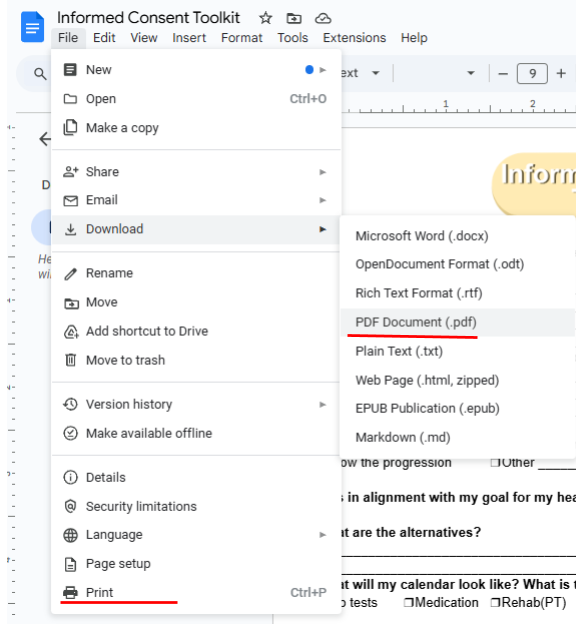
To download Resources and Toolkits from Google Docs,
Select File > Download >PDF
Or File >Print > Save as PDF or Select printer to print directly from Google Docs
For Mobile
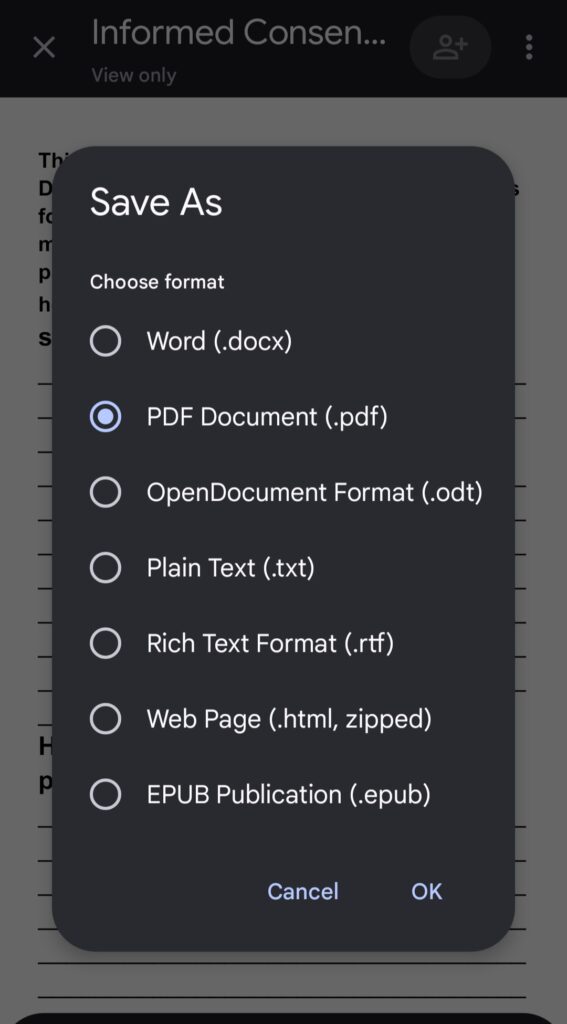
Open Google Doc link in email > 3 dots on top right> Share & export >save as or print> If save as- select PDF > Select ok
3 dots on top right

Share & export
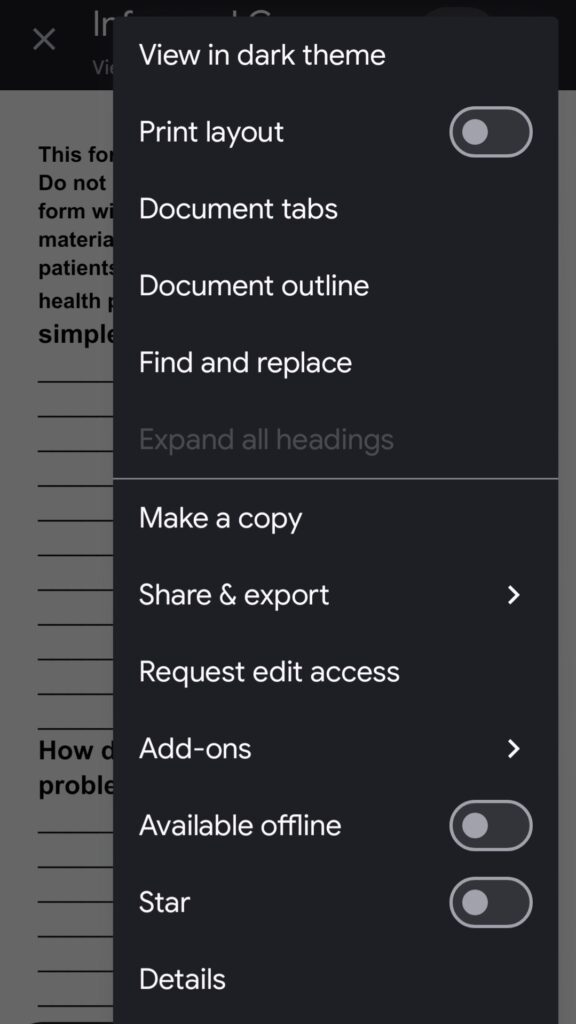
select save as or print

select PDF > Select ok